The Pakistan visa application form is submitted entirely online through the NADRA portal at visa.nadra.gov.pk. There is no paper form to mail – all 192 eligible nationalities complete the form digitally, upload supporting documents, and pay the fee with a credit or debit card. Processing typically takes 7-10 working days for tourist and visit visas.
Apply for your Pakistan visa now →
What Is the Pakistan Visa Application Form?
The Pakistan visa application form is the official document required by the Directorate General of Immigration & Passports (DGIP) for all foreign nationals seeking entry into Pakistan. Since the launch of the Pakistan Online Visa System managed by NADRA (National Database and Registration Authority), the entire application process has moved online.
The form collects your personal details, passport information, travel itinerary, purpose of visit, and supporting documents. You fill it out, upload your documents, pay the fee, and submit – all within a single web session at visa.nadra.gov.pk.
Who Must Complete the Application Form?
Every foreign national who needs a visa for Pakistan must complete the application form. This includes applicants for:
- Tourist/Visit Visa – sightseeing, cultural travel, visiting family
- Business Visa – meetings, conferences, trade events
- Student Visa – enrollment at Pakistani educational institutions
- Work Visa – employment with a Pakistani organization
- Transit Visa – passing through Pakistan to a third country
- Diplomatic and Official Visa – government and diplomatic travel
- Tabligh Visa – religious preaching activities
- Journalist Visa – media and press assignments
Exceptions: Citizens of GCC countries (Bahrain, Kuwait, Oman, Qatar, Saudi Arabia, UAE) do not need a visa. Holders of a valid NICOP or POC card can also enter Pakistan visa-free on their foreign passport.
Before You Start: What You Need
Gather these items before opening the application form. Having everything ready prevents delays and reduces the chance of your application being sent back for revision.
| Item | Requirement |
|---|---|
| Valid Passport | Minimum 6 months remaining validity from your application date |
| Passport Photo | Digital, passport-size, maximum 350KB, white background |
| Supporting Documents | Varies by visa category (see below) |
| Credit/Debit Card | For online fee payment (Visa, Mastercard accepted) |
| Email Address | Active email for account registration and notifications |
| Travel Itinerary | Flight bookings or confirmed travel plans |
| Accommodation Proof | Hotel reservation or host invitation letter |
Passport Photo Specifications
NADRA has strict photo requirements. Your digital photograph must:
- Be taken within the last 6 months
- Show a full-face view with a plain white background
- Be in color (no black and white)
- Not exceed 350KB in file size
- Be in JPEG or PNG format
- Show you without glasses, head coverings (unless for religious reasons), or shadows on your face
The NADRA portal includes a photograph quality check tool that lets you upload your photo before submitting to verify it meets their standards. Use it – rejected photos are one of the most common reasons for application delays.
Documents Required by Visa Category
The core documents are the same for all applicants, but each visa category requires additional paperwork:
Tourist/Visit Visa:
* Hotel booking confirmation or host invitation letter
* Round-trip flight itinerary
* Bank statement showing sufficient funds
Business Visa:
* Invitation letter from a registered Pakistani company
* Company registration documents of the inviting company
* Business letter from your employer explaining the purpose of travel
* For BVL (Business Visa List) countries: expedited processing available
Student Visa:
* Admission letter from a recognized Pakistani university or college
* Proof of financial support for the duration of studies
Work Visa:
* Employment contract with the Pakistani employer
* Work permit issued by Pakistani authorities
* Resume/CV of the applicant
Family Visit Visa:
* Invitation letter from the host family member
* Copy of the host’s Pakistani CNIC (Computerized National Identity Card)
How to Fill Out the Pakistan Visa Application Form: Step-by-Step
The NADRA portal guides you through the process in 3 main steps. Here is exactly what to expect at each stage.
Step 1: Preliminary Assessment
Visit visa.nadra.gov.pk and click “Apply Now”. Before creating your account, the system asks you to:
- Select your visa category (tourist, business, work, student, etc.)
- Choose the sub-category if applicable (e.g., single entry vs. multiple entry)
- Select your country of nationality
- Review the eligibility criteria and document requirements for your specific visa type
The portal displays processing times, fees, and a list of required documents for each combination. Read these carefully – they vary significantly by nationality and visa type.
Step 2: Create Your Account and Log In
To access the application form, you must first register on the NADRA portal:
- Click “Create a New Account”
- Enter your Given Name and Surname exactly as they appear on your passport
- Provide your Email Address (enter it twice for confirmation)
- Enter your Passport Number (enter it twice for confirmation)
- Complete the CAPTCHA code
- Check the box to agree to the Terms of Service
- Click “Save and Continue”
Email Verification: NADRA sends a confirmation email with a PIN number. Open the email, click the “Continue Registration” link, enter your PIN, and click “Verify”. If you do not receive the email, click “Resend Code” on the portal.
Once verified, you can log in with your email address, password, and the CAPTCHA code. You will also need to accept the Terms and Conditions before proceeding.
Step 3: Complete and Submit the Application
After logging in, the system launches a new visa application. The form is divided into several sections:
Personal Information:
* Full name (as on passport)
* Date and place of birth
* Gender
* Marital status
* Nationality and any dual nationality
* Current residential address
* Phone number and email
Passport Details:
* Passport number
* Date of issue and expiry
* Issuing authority/country
Travel Information:
* Purpose of visit
* Intended date of arrival and departure
* Port of entry (Pakistan has 23 entry points – 11 airports, 7 land routes, 4 seaports, and 1 railway crossing)
* Accommodation details in Pakistan
* Itinerary and places you plan to visit
Background Questions:
* Previous visits to Pakistan (if any)
* Criminal history
* Health declarations
* Previous visa refusals
Document Uploads:
* Passport scan (information page)
* Passport photograph (max 350KB)
* Supporting documents specific to your visa category
* All documents must be clear, legible scans or photos
Fee Payment:
* Pay the visa fee using a credit or debit card
* The system calculates the fee based on your nationality, visa category, and number of entries
* Fees are non-refundable regardless of the application outcome
Final Submission:
* Review all entered information carefully
* Check that all uploaded documents are correct
* Click “Submit Application”
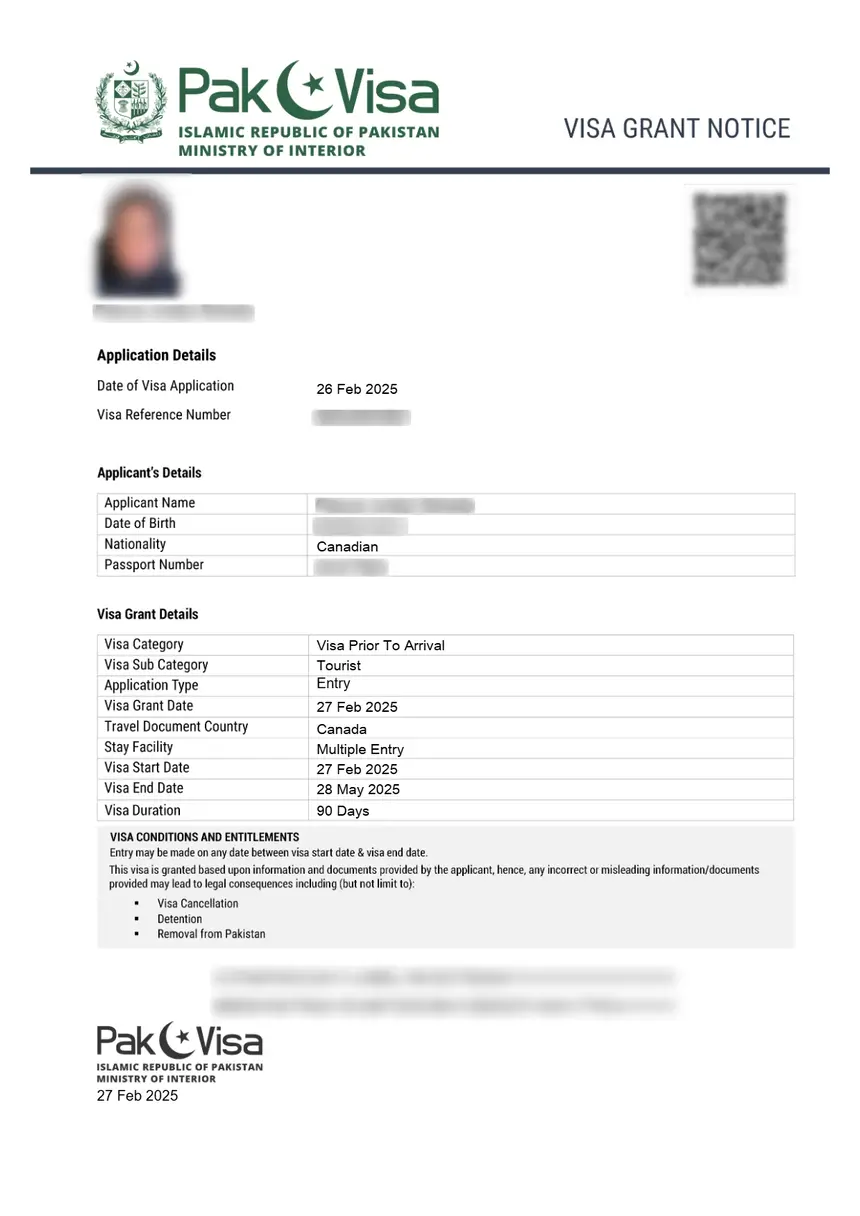
After submission, you receive an application reference number. Save this number – you will need it to track your application status.
Pakistan Visa Application Form: Fees
Visa fees are calculated on the NADRA portal based on your nationality and visa type. Pakistan uses a reciprocal fee structure, meaning fees vary by country of origin. Here is a general guide:
| Visa Type | Typical Fee (USD) |
|---|---|
| eVisa – single entry, up to 3 months | $60 |
| eVisa – multiple entry, up to 1 year | $80-$100 |
| Visa on Arrival | $60-$100 |
| Extension – multiple entry, up to 6 months | Varies |
| Extension – multiple entry, over 6 months | Varies |
| Business Visa (BVL countries) | $60-$100 |
| Transit Visa | $20-$40 |
Important: Use the Fee Calculator on the NADRA portal (visa.nadra.gov.pk/fee-structure/) to get the exact fee for your nationality. Fees are subject to change and are non-refundable.
Processing Times After Submission
Once you submit the application form, processing begins immediately. Timelines depend on your visa category and nationality:
| Application Type | Processing Time |
|---|---|
| Tourist/Visit Visa (individual) | 7-10 working days |
| Extension (up to 6 months) | 7-10 working days |
| Extension (over 6 months) | 4 weeks |
| Afghanistan passport holders | 4 weeks |
| Somalia passport holders | 4 weeks |
| Business Visa (BVL countries) | 24 working hours |
| Business Visa (non-BVL countries) | Up to 4 weeks |
Note: If your application is returned for review, the processing time restarts from the date you re-submit. Applications not resubmitted within 7 days of being returned are automatically cancelled.
You can track your application status at any time by logging into the NADRA portal with your reference number.
Common Mistakes on the Pakistan Visa Application Form
Based on frequent rejection patterns, avoid these errors:
- Name mismatch – Your name on the form must match your passport exactly. No abbreviations, no nicknames.
- Photo not meeting specifications – Blurry, wrong background color, wearing glasses, or exceeding 350KB. Use the NADRA photo checker tool.
- Insufficient passport validity – Your passport must have at least 6 months remaining. If it expires within 6 months, renew it first.
- Wrong visa category – Selecting tourist when you are attending a business meeting (or vice versa) can result in denial at the port of entry.
- Missing or illegible documents – Upload clear, high-resolution scans. Blurry passport pages or unreadable bank statements cause delays.
- Incorrect fee payment – Fees vary by nationality. Use the portal’s fee calculator to pay the correct amount.
- Not tracking application status – If your application is returned for revision, you have only 7 days to resubmit before it is cancelled.
Paper Application Form (PDF)
While the standard application is online, DGIP provides a paper PDF form for specific situations:
- Visa extension applications at local DGIP offices in Pakistan
- Indian passport holders who must apply through the Ministry of Interior
- Diplomatic and official visa applications submitted through government channels
You can download the paper form from dgip.gov.pk/downloads/. However, for most applicants, the online portal at visa.nadra.gov.pk is the required and recommended method.
Frequently Asked Questions
How do I apply for a Pakistan visa online?
Visit visa.nadra.gov.pk, click “Apply Now,” create an account, verify your email, log in, fill out the application form, upload your documents, pay the fee, and submit. You will receive a reference number to track your application.
Is there a paper application form for Pakistan visa?
Yes, DGIP provides a PDF form at dgip.gov.pk, but the online portal is the standard method for all eVisa applications. Paper forms are mainly used for visa extensions at local offices or for Indian passport holders applying through the Ministry of Interior.
What is the fee for the Pakistan visa application form?
The application form itself is free. You pay a visa fee when you submit, which varies by nationality and visa type. Standard tourist eVisa fees start at approximately $60 USD. Use the fee calculator at visa.nadra.gov.pk/fee-structure/ for your exact amount.
How long does it take to process the Pakistan visa application?
Standard tourist and visit visas take 7-10 working days. Business visas for BVL countries are processed in 24 working hours. Afghan and Somali passport holders should expect 4 weeks. If your application is returned for review, processing restarts.
Can I edit my Pakistan visa application after submitting?
No. Once submitted, you cannot edit the application. If your application is returned for review, you can revise and resubmit within 7 days. If you made a critical error before submission, you can start a new application.
What photo format does the Pakistan visa application accept?
The NADRA portal accepts JPEG and PNG formats. The photo must be passport-size, in color, with a white background, and must not exceed 350KB in file size.
Do I need an invitation letter for the Pakistan visa application form?
It depends on the visa type. Tourist visas may require a hotel booking or host invitation. Business visas require an invitation from a Pakistani company. Family visit visas require an invitation from your host along with their CNIC copy.
How do I track my Pakistan visa application status?
Log into the NADRA portal at visa.nadra.gov.pk using your registered email and password. Your application status is displayed on your dashboard with the current processing stage.
Next Steps
Now that you understand the Pakistan visa application form, you may want to explore these related topics:
- Pakistan Visa Requirements – Full document checklist for every visa type
- Pakistan Visa Processing Time – Detailed timelines by category and nationality
- Pakistan eVisa Complete Guide – Everything about the online eVisa system
- Pakistan Visa Fee – Complete fee breakdown by nationality
- Pakistan Tourist Visa – Specifics for tourist and visit visa applicants
- Pakistan Business Visa – Business visa categories, BVL, and EBIL details
Apply for your Pakistan visa online at visa.nadra.gov.pk →